Integrated vs. Dedicated Graphics: A Comprehensive Guide to Understanding Your Options
For anyone who uses a computer, whether for basic tasks, gaming, or professional work, understanding the differences between integrated and dedicated graphics is essential. These two types of graphics processing units (GPUs) handle the visuals you see on your screen, but they do so in fundamentally different ways. Choosing the right type of graphics solution can significantly impact your computer’s performance, battery life, and overall user experience.
What is a Graphics Processing Unit (GPU)?
Before diving into the specifics, let’s clarify what a GPU is. The GPU is a specialized electronic circuit designed to rapidly manipulate and alter memory to accelerate the creation of images in a frame buffer intended for output to a display device. GPUs are used in a wide range of devices, including computers, mobile phones, embedded systems, and game consoles.
Integrated Graphics: The Built-In Solution
Definition and Characteristics
Integrated graphics, also known as on-board graphics, are built directly into the CPU (Central Processing Unit) or the motherboard. This means that the graphics processing unit is not a separate, independent component but rather a part of the larger system.
Key characteristics of integrated graphics:
- Shared Memory: Integrated GPUs typically do not have their own dedicated memory (VRAM). Instead, they borrow system RAM from the computer’s main memory. This can limit performance, especially in graphically intensive tasks.
- Lower Power Consumption: Integrated graphics are generally more energy-efficient than dedicated graphics cards. This makes them ideal for laptops and other portable devices where battery life is a priority.
- Compact Size: Because they are integrated into the CPU or motherboard, they do not require additional space within the computer case.
- Cost-Effective: Systems with integrated graphics are usually more affordable than those with dedicated graphics cards.
Advantages of Integrated Graphics
- Affordability: Integrated graphics are a cost-effective solution for basic computing needs. You don’t have to spend extra money on a separate graphics card.
- Energy Efficiency: They consume less power, which translates to longer battery life in laptops and lower electricity bills for desktop users.
- Simplicity: Integrated graphics simplify the computer’s design and reduce the number of components, potentially improving reliability.
- Adequate for Basic Tasks: They are sufficient for everyday tasks like web browsing, word processing, video playback, and light photo editing.
Disadvantages of Integrated Graphics
- Limited Performance: Integrated graphics are not designed for demanding tasks like gaming or professional graphics work. They often struggle with high resolutions, complex textures, and advanced visual effects.
- Shared Memory: Sharing system RAM can slow down both the graphics processing and the overall system performance, especially when running multiple applications simultaneously.
- Limited Upgradability: You cannot upgrade integrated graphics independently of the CPU or motherboard. If you need more graphics power, you will likely have to replace the entire CPU or motherboard.
- Lower Frame Rates in Games: Gamers will experience significantly lower frame rates and reduced visual quality compared to dedicated graphics cards.
Dedicated Graphics: The Powerhouse Performer
Definition and Characteristics
Dedicated graphics, also known as discrete graphics, are separate, independent graphics cards that are installed in a computer’s expansion slot (usually a PCI Express slot). These cards have their own dedicated memory (VRAM) and processing power, making them much more capable than integrated graphics.
Key characteristics of dedicated graphics:
- Dedicated Memory (VRAM): Dedicated graphics cards have their own high-speed memory (VRAM) specifically designed for graphics processing. This allows them to handle complex textures, high resolutions, and advanced visual effects without impacting system RAM.
- High Performance: Dedicated graphics cards offer significantly better performance than integrated graphics, making them ideal for gaming, video editing, 3D modeling, and other demanding tasks.
- Higher Power Consumption: Dedicated graphics cards consume more power than integrated graphics, which can reduce battery life in laptops and increase electricity bills for desktop users.
- Larger Size: Dedicated graphics cards are larger than integrated graphics and require more space inside the computer case.
- Higher Cost: Systems with dedicated graphics cards are typically more expensive than those with integrated graphics.
Advantages of Dedicated Graphics
- Superior Performance: Dedicated graphics cards provide significantly better performance in graphically intensive tasks.
- Dedicated Memory (VRAM): Having dedicated VRAM ensures that the graphics card can handle complex textures, high resolutions, and advanced visual effects without impacting system RAM.
- Upgradability: Dedicated graphics cards can be upgraded independently of the CPU or motherboard, allowing you to improve your computer’s graphics performance without replacing the entire system.
- Higher Frame Rates in Games: Gamers will experience significantly higher frame rates and improved visual quality compared to integrated graphics.
Disadvantages of Dedicated Graphics
- Higher Cost: Dedicated graphics cards are more expensive than integrated graphics.
- Higher Power Consumption: They consume more power, which can reduce battery life in laptops and increase electricity bills for desktop users.
- Larger Size: Dedicated graphics cards require more space inside the computer case, which can be a limiting factor in small form factor systems.
- Heat Generation: Dedicated graphics cards generate more heat, which may require additional cooling solutions.
Choosing the Right Option: Factors to Consider
When deciding between integrated and dedicated graphics, consider the following factors:
-
Usage: What will you primarily use your computer for?
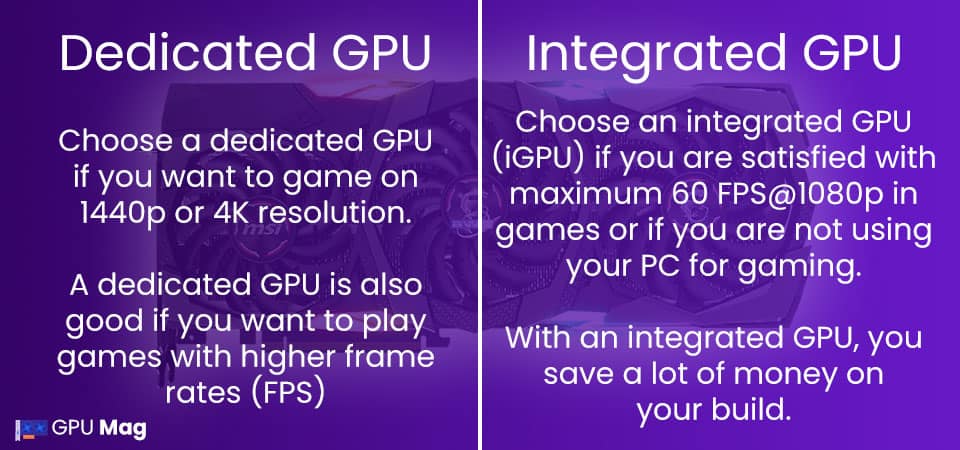
- Basic Tasks (Web Browsing, Word Processing, Video Playback): Integrated graphics are likely sufficient.
- Gaming, Video Editing, 3D Modeling: Dedicated graphics are highly recommended.
-
Budget: How much are you willing to spend?
- Integrated graphics are more affordable.
- Dedicated graphics cards add to the overall cost of the system.
-
Portability: Will you be using a laptop or a desktop?
- Integrated graphics are often preferred for laptops due to their lower power consumption and smaller size.
- Dedicated graphics cards are more common in desktop computers.
-
Upgradability: Do you want the option to upgrade your graphics card in the future?
- Dedicated graphics cards can be upgraded independently.
- Integrated graphics are typically not upgradable.
-
Power Consumption: How important is battery life or electricity usage?
- Integrated graphics consume less power.
- Dedicated graphics cards consume more power.
Hybrid Solutions: A Middle Ground
Some laptops and even desktops utilize a hybrid graphics system, which combines the benefits of both integrated and dedicated graphics. In this setup, the computer uses the integrated graphics for basic tasks to conserve power and switches to the dedicated graphics card when more performance is needed. This provides a balance between battery life and performance.
Conclusion
The choice between integrated and dedicated graphics depends on your specific needs and priorities. Integrated graphics are a cost-effective and energy-efficient solution for basic computing tasks, while dedicated graphics cards offer superior performance for gaming, video editing, and other demanding applications. By carefully considering your usage, budget, and other factors, you can choose the graphics solution that best meets your needs.